
We may earn money or products from the companies mentioned in this post.
Five hundred enemies make an impressive screenshot. For someone trying to build a first game with AI, the more useful question is whether those enemies can get through a doorway without breaking the game.
A recent Claude-and-Godot build offers a concrete example to examine. My takeaway: give AI a small job with a visible finish line, then judge the result by what happens when you play.
The beginner takeaway: build one working interaction before asking for a whole game. Use a repeatable test, keep the first artwork simple, and make the next request small enough that you can tell whether it worked.
The build: one crowded arena
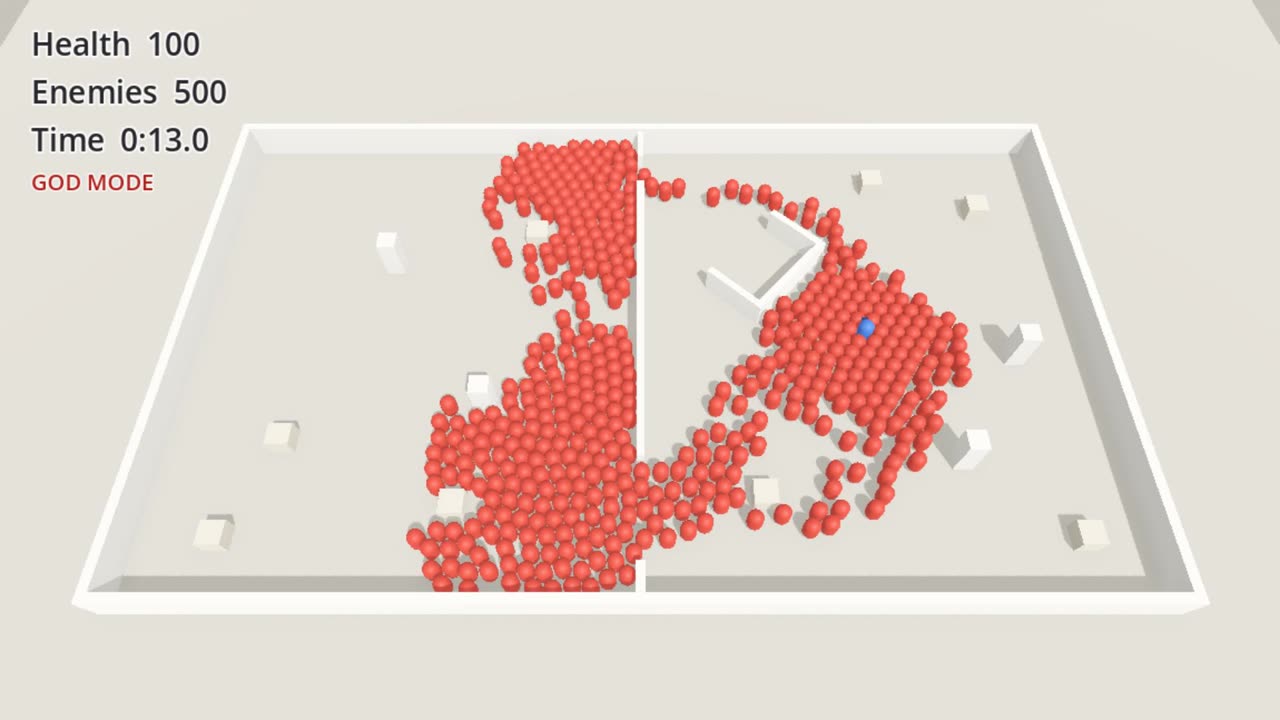
In its October 12, 2026 build log, Flockbay describes using Claude Opus 5.5 through Claude Code to build a Godot horde prototype. The arena included two rooms, a narrow doorway, a wider opening and a dead end. The first pass used simple shapes; a later pass added the visual treatment.
The published scorecard reports passes across eight behavior and performance checks, including clearing the doorway and following a relocated player. It also reports a 3.0-millisecond 99th-percentile frame time at 300 enemies in the dressed pass. Those are Flockbay’s measurements on its test PC, not results independently reproduced by First AI Game.
Flockbay uses this demonstration to promote its own game-making platform. Its account is useful first-party evidence, with that commercial context attached.
Why I would show this to a beginner
A first-time creator can get stuck choosing the perfect engine, model or art style before discovering whether the central idea is enjoyable. I would put a different question first: what is the smallest action a player should be able to perform?
For a puzzle game, that might be placing a piece and having the board recognize a match. For a runner, it might be dodging an obstacle and restarting after a collision. For an exploration game, it might be opening a door with a key.
These are modest goals, but each has an observable answer. You can play the result and say what happened. That gives your next instruction a foundation.
The opposite approach is a prompt asking for a large world, several character classes, a crafting system and multiplayer at once. If the result misbehaves, a non-coder now has to separate several unfamiliar problems. A smaller brief reduces the number of things you need to understand at the same time.
AI needs a way to work on the actual project
Flockbay’s product description says its workspace contains the Godot editor and produces Godot projects. That matters because a project is more than a page of code: scenes, resources and settings need to fit together.
When comparing an AI game-making workflow, I would ask three practical questions. Can the assistant inspect the project you already have? Can it change the relevant parts? Can you run the result and bring the actual problem back into the next round?
A chat response may explain an idea clearly without proving it belongs in your game. The valuable handoff is a change you can inspect and play.
A separate September 15 devlog by Nils Sanderson describes a small rugby-runner prototype developed with Claude Code and a Godot MCP bridge. Sanderson emphasizes narrow edits and playing the result, while identifying unfinished work. That is another first-party account, not a controlled comparison of tools.
A nicer screenshot creates a new testing job
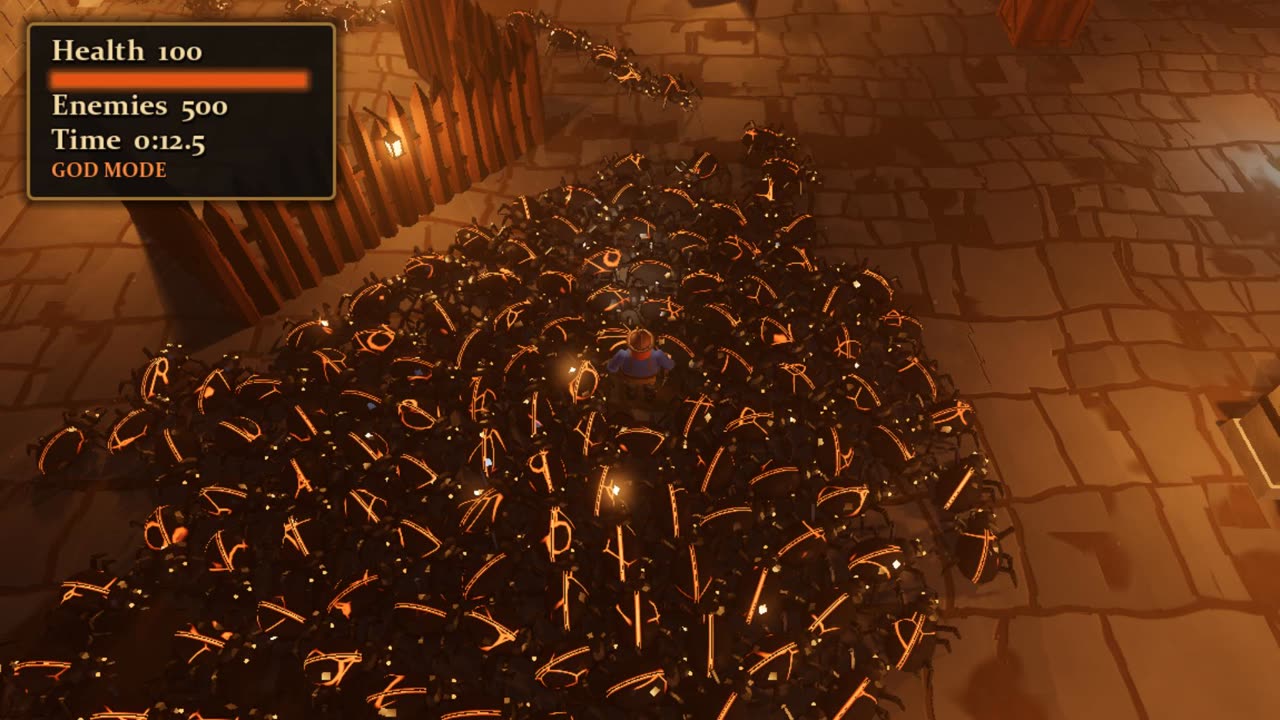
The visual change is easy to appreciate. My editorial concern is what happens next: once you replace rough shapes with detailed assets, you need to test the playable result again.
Ask whether the player remains easy to find. Check whether the enemy silhouettes are readable. Try the busiest situation you expect the game to handle. A screen full of detail is only useful if the person playing can still understand it.
That is why I would delay a large art-shopping exercise until a small scene works. Our AI game art tools guide covers the separate jobs of producing backgrounds, sprites and 3D assets. Choosing artwork becomes easier when you know what the scene needs.
Ready to add 3D props to your own prototype? Meshy can help turn a text description or reference image into a model. Start with a static object and test its scale, materials and performance in your scene.
What this does not establish about selling a game
I found no verified Steam release, sales figures or earnings evidence for this particular prototype in the material reviewed. A successful demonstration of one mechanic gives us something to analyze; it does not tell us whether customers would buy a finished game built around it.
Before spending on a commercial launch, I would want a complete little experience: a clear objective, understandable controls, a reliable ending or restart, and a reason to play again. I would also want someone outside the project to try it without being talked through every step.
There is a separate packaging step. Godot’s export documentation distinguishes a playable exported build from exporting project data alone, and explains the need for export presets and templates. Test the package you intend to distribute, not only the version running in the editor.
Steam adds its own release process. The Steam Direct documentation currently lists a $100 USD fee per new app, or the local equivalent. Paying that fee buys neither an audience nor a verdict on whether the game is fun.
The small experiment I would try first
You do not need to reproduce this arena. Choose a mechanic that suits your own idea and make its success easy to observe.
- Write one sentence describing what the player does.
- Use simple placeholder objects for the first playable version.
- Ask for a short test: an action, an expected result and a way to restart.
- Repeat the test after each change.
- Let another person play, then improve the clearest problem they encounter.
An original starter brief might be: “Build a one-room collecting game. The player picks up five objects, reaches an exit and sees a win screen. Restart must reset the objects and score. Use simple shapes until that loop works.”
That is a proposed exercise, not a description of the Flockbay project. Its purpose is to give a beginner something small enough to direct and judge.
My verdict
The encouraging part of this example is the prospect of getting to a testable interaction sooner. That is a useful milestone for someone whose game idea has never made it beyond a notebook.
Keep the ambition, but shrink the first assignment. Finish one small loop, learn what the AI needs from you, and expand from a result you can actually play.
For an alternative browser-based starting point, read our Rosebud AI Game Maker review. The right choice is the workflow that helps you finish your first manageable project.
Watch the source demonstration
Sources: Flockbay build log, October 12; Flockbay product information; Nils Sanderson’s September 15 devlog; Godot and Steamworks documentation linked above. Reported analysis by First AI Game, October 18, 2026. Featured image: original AI-generated editorial illustration.
Pingback: Top 5 AI Games on Steam to Study (October 2026): Sales and AI Use – First AI Game